
Budgeting for beginners, starting from your paycheck
Ed Richards is the founder of Budgey. He's a software engineer with 11 years of experience and a single dad who built Budgey to see what's actually left of each paycheck.
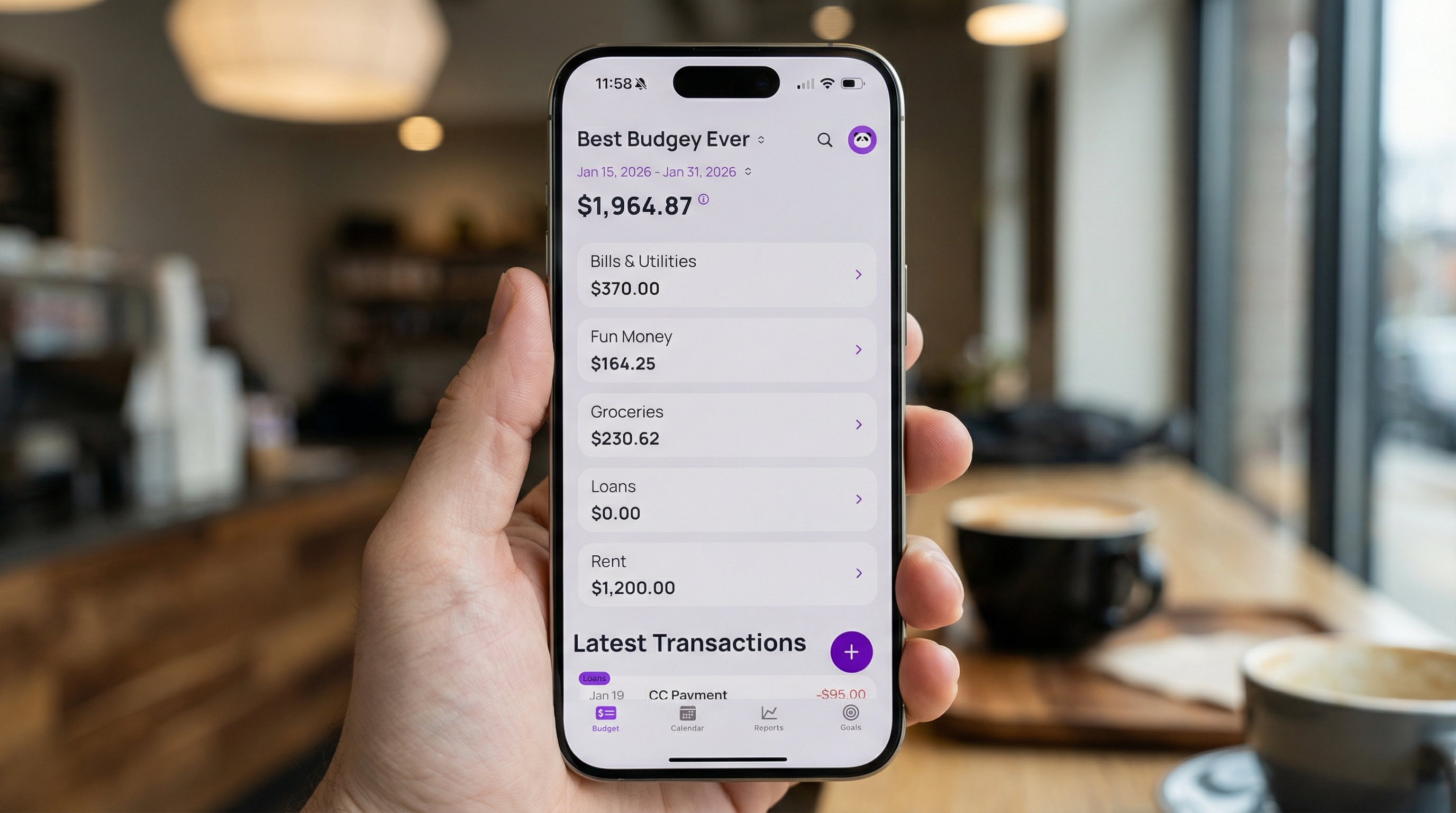
A budget is a plan for your money before you spend it. It doesn't have to be a spreadsheet with forty rows, and it doesn't mean you stop buying things you like.
Beginner budgets are often monthly. If you're paid every week or every other week, a monthly plan doesn't match when your money shows up, and that mismatch can break a first budget. This guide builds your first budget around your paycheck instead.
Step 1. Find your take-home pay
Look at your last pay stub or your bank deposit. Write down the amount that landed in your account after taxes, insurance and retirement. That's your take-home pay. Gross salary doesn't matter for a budget, because you never see it.
Write down how often you're paid, too. Weekly, every other week, twice a month or monthly.
If your income changes from check to check, use the smallest one from the last few months. Anything extra is a bonus.
Step 2. List your bills and when they're due
Write down every bill you pay regularly, with the amount and due date:
- Rent or mortgage
- Utilities
- Phone and internet
- Insurance
- Car payment and other loan payments
- Credit card minimum payments
- Subscriptions
Then assign each bill to the paycheck that lands before it's due. If rent is due on the 1st and you're paid on the 15th and 30th, the paycheck on the 30th covers rent.
Now you know ahead of time which paycheck has to cover each big bill. Here's more on how to budget each paycheck as it lands.
Step 3. Pay yourself first, even a little
Pick an amount to move to savings every payday. It can be $20. The amount matters less than the habit of moving it before you spend anything.
Set up an automatic transfer for the day after payday. Then you don't have to remember. Here's a longer guide to automating savings on payday.
Step 4. Split the rest into a few categories
After bills and savings, the rest of the paycheck is for everyday spending. Split it into four or five categories:
- Groceries
- Gas or transit
- Eating out
- Personal spending
- Household stuff
Base the amounts on what you spent over the last few weeks. Look at your bank app. Your first numbers will be off, and that's fine.
Step 5. Check what's left before you spend
This is the daily part of a budget, and it takes seconds. Before an unplanned purchase, check what's left of your paycheck. That's your take-home, minus bills and spending that have already gone out this pay period.
If you want to try the math, the what's-left-of-your-paycheck calculator does it for you. Enter your take-home, any money you carried over, and what you've spent so far.
The number tells you whether the purchase fits this paycheck or should wait for the next one.
Step 6. Review on payday
When the next paycheck lands, take ten minutes:
- Look at how the last paycheck went. Which categories ran over? Which had money to spare?
- Adjust the amounts for this paycheck.
- Assign this paycheck's bills, savings and spending.
That's the whole routine. Ten minutes every payday and a few seconds before you spend.
Mistakes beginners make
- Starting with too many categories. You'll stop checking them. Start with five.
- Forgetting costs that don't come every month. Car registration, holidays and annual subscriptions break first budgets. Set aside a small amount each paycheck for them.
- Being too strict. A budget with no fun money gets abandoned. Give yourself some.
- Quitting after one bad paycheck. You'll overspend sometimes. Move money from another category and keep going.
- Using a monthly plan when you're paid weekly or biweekly. Plan each paycheck instead.
Picking a method
Once you've run your first budget for a few paychecks, you might want more structure. The 50/30/20 rule, zero-based budgeting and the envelope system are the common ones. Here's how the main budgeting methods compare, so you can pick the one that fits.
Tools to start with
A notebook works. So does a spreadsheet. An app saves you the math and shows you where you stand from your phone.
If you used to track spending in Mint, here are some Mint alternatives worth looking at.
Budgey is a paycheck budgeting app. Your budget period runs from payday to the day before the next payday. Auto builds the period from your real money once you connect a bank, and the top number is what's left of your paycheck. Core is $5/mo or $20/yr with live sync for 1 bank and shared budgets. Plus is $10/mo or $100/yr for 2 or more banks or budgets.
FAQ
How do I start a budget if I've never had one?
Find your take-home pay, list your bills and when they're due, assign each bill to a paycheck, move a little to savings, and split the rest into a few categories. Then check what's left before you spend.
Should I budget monthly or by paycheck?
By paycheck, if you're paid weekly, biweekly or twice a month. A paycheck budget matches the days your money arrives.
How much should I save as a beginner?
Start with an amount you won't miss and move it every payday. Raise it after a few paychecks once you see how the budget runs.